- L(ai)tte
- Posts
- Tutorial: How to optimise Blog Posts using AI
Tutorial: How to optimise Blog Posts using AI
All you need is a GPT
Because this newsletter is fairly new, you’ll find the Monday emails to be somewhat of an experiment. You’ll know as a business owner, creator or entrepreneur a lot of what we do is trial and error.
With Monday’s focused on a theme, interview or today for the first time a tutorial, I’d love to know what you think and whether you enjoy it. Hit reply and let me know if you’d like to see more of a particular email.
Spotlight
Today we’re focusing on utilising AI to better optimise our existing blog posts so that we can work to achieve a better ranking in search results.
Although we’ve covered blogging and the AI tools to help create the content, it’s another thing entirely to maintain and update our blogs to improve the quality and ranking.
Tutorial Toolbox
There are three main tools we need this week.
GPT - a GPT (Generative Pre-trained Transformer) is a type of AI language model that generate human-like responses to prompts or queries. It doesn’t matter whether you use Gemini, ChatGPT or Claude.
Search Console - This is a Google web service that monitors your site’s performance in Google Search results. You will need to have this in order to work through the following tutorial.
(Optional) Headline Studio - Utilise this platform to check the score of your blog post title.
Action
Step 1: Export file from Search Console
Head to Search Console, click “search results” on the LHS, and it should have it dated as “last 3 months”. Then on the top RHS, click “export”. I exported it as a Google Sheet.

Step 2: Download as a PDF
In Google Sheets, click on the bottom tab, “pages”, then download as a pdf.

Step 3: The work begins in GPT
You can choose any GPT you like, I’m using Claude in this example.

Step 4: Find where the best opportunities lie
Enter the following prompt with the pdf attachment:
Act as an experienced SEO consultant hired to analyse my website’s blog content and provide recommendations for improving the search visibility and performance of my top blog posts. I run a [insert business type] and I have attached data on the performance metrics of my blog posts over the last 3 months.
Your task is to review this data and provide me with a list of the top 10 blog posts to optimise that have the best opportunities

Step 5: Work through posts individually
Start with the first blog post, and add the following prompt (pasting the blog post or URL underneath the prompt)
Continuing your role as an experienced SEO consultant your task is to analyse the blog post content provided below and provide recommendations to optimise it for better search visibility and user engagement. Please provide the following:
A content quality analysis of the existing post, highlighting areas that need improvement in terms of comprehensiveness, structure and readability.
SEO suggestions for optimising the SEO title (50-60 characters max) and meta description (150 characters max).
Suggestions for the Main Blog title, headings (h1,h2,h3,h4) and body content with relevant keywords to improve search rankings.
Three potential frequently asked questions the audience may have after reading this post, along with brief answer outlines.*
Tell me who you believe the target audience is for this blog post.
Your analysis should leverage your expertise in content strategy, SEO, and understanding of the target audience for [insert your industry]-related topics. The goal is to provide an actionable plan to enhance this blog post's quality, search performance, and overall value to readers.
[paste blog post or link URL if possible]

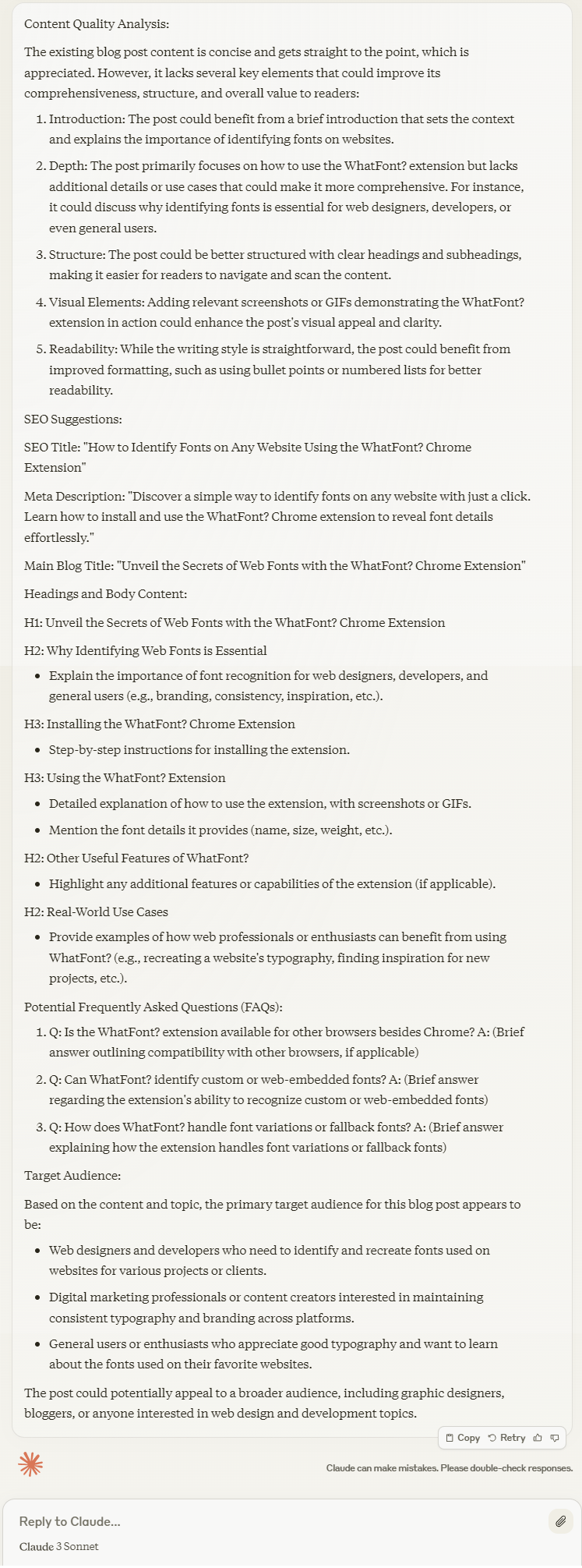
Step 6: Modify and continue working on improvements
Be vigilant with what you take from ChatGPT, a human element is always needed in the process. I advise against copy and pasting*. You can continue modifying the information it gives you. For example:
Remove the word “unveil” as it’s not on-brand and produce another X ideas for the main blog title
If I wanted to attract [a certain audience] what would I need to add or change in my blog post to attract [said audience].
*Copy and pasting should be avoided with GPT models as they can sometimes "hallucinate" which means they confidently present made-up information as if it were factual when responding to prompts or queries.
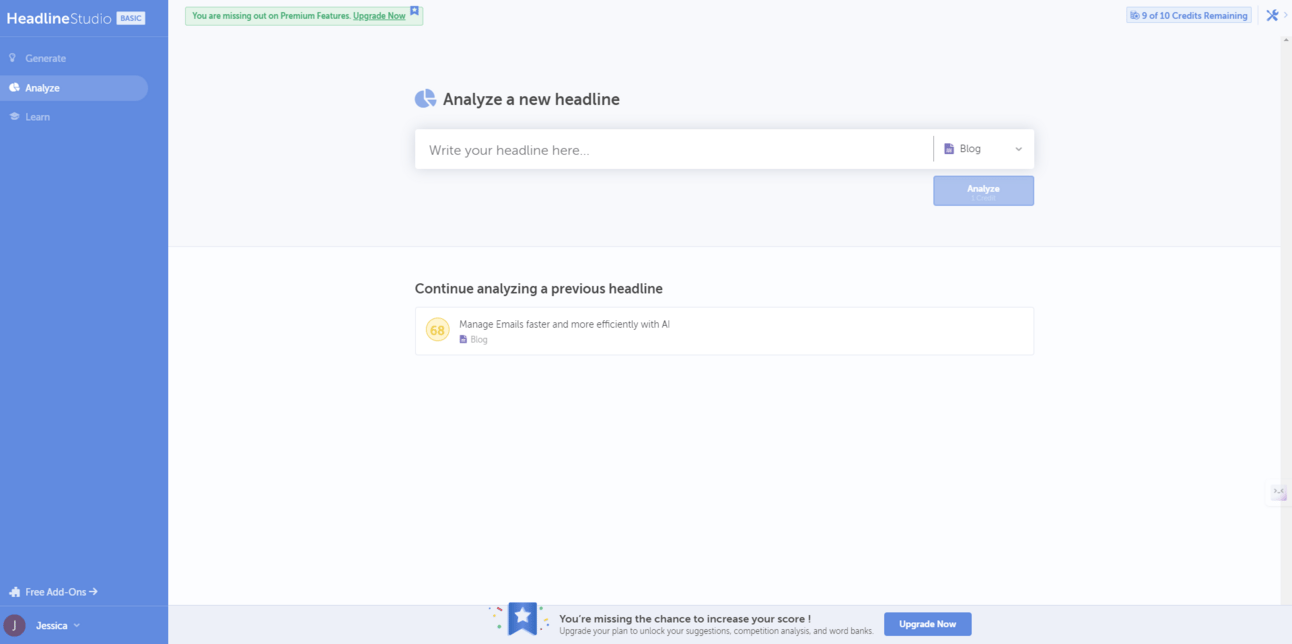
(Optional) Step 7: Check Blog Post Title
Using Headline Studio, enter in the blog title (if you are happy with what ChatGPT produced, and see what the results are. You may need to upgrade to view the “SEO Score” of the blog post title.

Hope you enjoyed the tutorial, if you think your audience or community would benefit from this tutorial share it with them! As always your feedback is appreciated, let me know what you thought!
Talk soon, JessicaTuo
Reply